OCR Pipelines: Tesseract vs Cloud Vision for Bangla Text
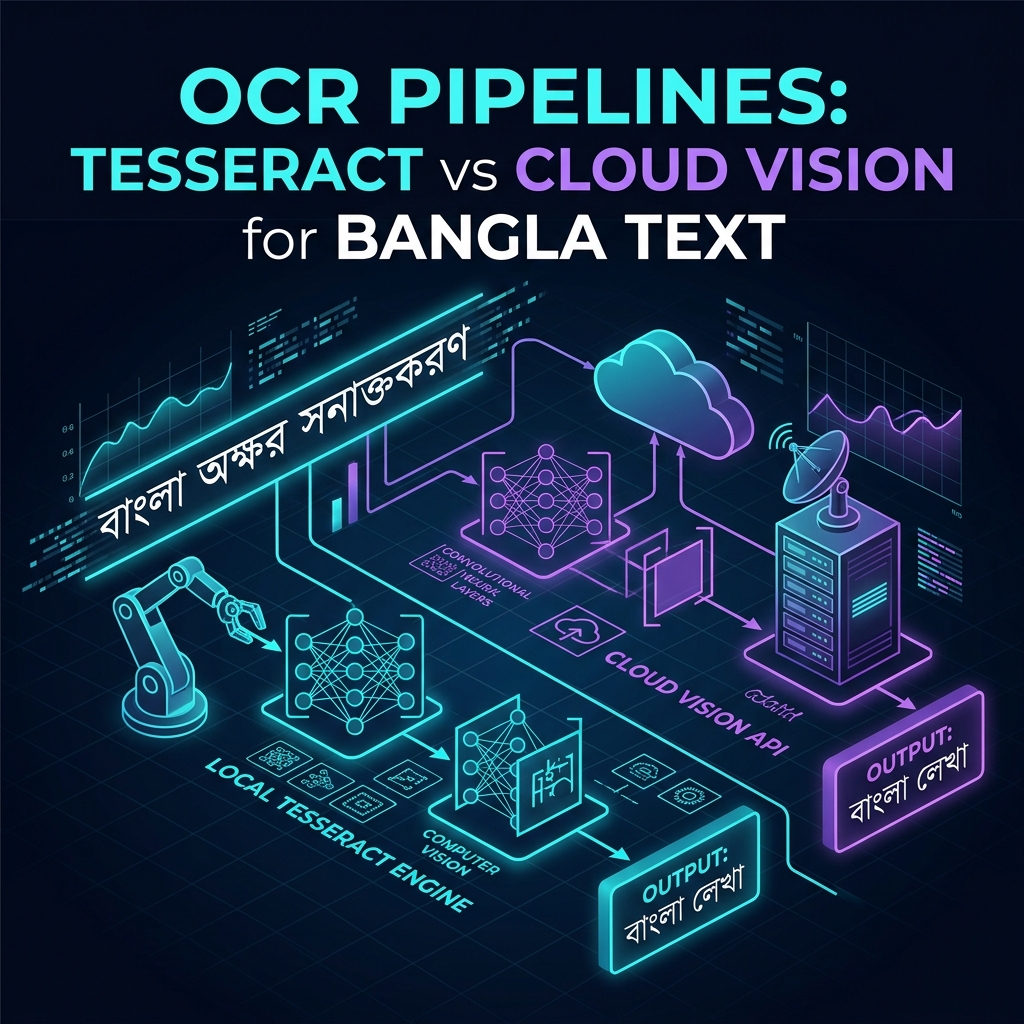
The complexity of Bangla script recognition
Building Optical Character Recognition (OCR) for non-Latin scripts presents unique computer vision challenges. Unlike English, where characters are distinct, isolated glyphs separated by whitespace, Bangla (Bengali) is an Abugida script characterized by:
- Matra Line (মাত্রারেখা): A continuous horizontal headline connecting top characters across an entire word.
- Vowel Diacritics (কার): Modifiers attached above, below, before, or after base consonants (e.g., ি, ী, ু, ূ).
- Consonant Conjuncts (যুক্তবর্ণ): Complex fused letter combinations (e.g., ক্ত, ঙ্ক, ষ্ঠ, ণ্ড) where two or three consonants merge into a distinct single grapheme.
When processing real-world documents — such as mobile phone photos of printed application forms, utility bills, or national identity documents — low resolution, shadow gradients, paper creases, and camera skew frequently break the continuous Matra line or distort intricate conjunct structures.
Starting with Tesseract 5 (ben.traineddata)
Tesseract 5 was our initial choice. Powered by a Long Short-Term Memory (LSTM) neural network engine, Tesseract is open-source, fully self-hosted, and preserves strict data privacy by keeping sensitive document processing on-premise without external API dependencies.
For clean, high-resolution 300 DPI flatbed scanner PDFs, Tesseract paired with the official ben.traineddata language pack achieved impressive performance:
Input Document ---> Pre-Processing (Deskew/Binarize) ---> Tesseract 5 (ben) ---> 94.2% Accuracy
Where Tesseract broke down
In production, incoming documents rarely arrived as pristine 300 DPI scans. The vast majority were low-light smartphone photographs containing shadow gradients, perspective distortions, or compression artifacts.
Under degraded input conditions, Tesseract's character segmentation algorithm suffered catastrophic accuracy drops:
- Broken Matra Disruption: JPEG compression artifacts along the top Matra line caused Tesseract to slice single words into disconnected character fragments.
- Conjunct Confusion: Complex conjunct characters (like
ক্ষorজ্ঞ) were frequently misrecognized as multiple invalid base characters. - Low Noise Tolerance: Shadows or paper folds degraded word recognition accuracy from 94% down to under 58% on mobile photo samples.
Pre-processing pipeline enhancement
Before abandoning self-hosted OCR, we built an automated computer vision pre-processing pipeline using OpenCV and ImageMagick to optimize image quality prior to OCR execution:
namespace App\Services\OCR;

use Imagick;

class ImagePreprocessor
{
    public function preprocess(string $imagePath): string
    {
        $image = new Imagick($imagePath);

        // Convert to grayscale
        $image->transformImageColorspace(Imagick::COLORSPACE_GRAY);

        // Normalize contrast and deskew text lines
        $image->normalizeImage();
        $image->deskewImage(40); // 40% threshold for line angle correction

        // Adaptive thresholding (Otsu binarization)
        $image->thresholdImage(0.6 * Imagick::getQuantum());

        $outputPath = sys_get_temp_dir() . '/' . uniqid('ocr_', true) . '.png';
        $image->writeImage($outputPath);

        return $outputPath;
    }
}
Pre-processing improved Tesseract's baseline accuracy on mobile photos from 58% to 76%, but complex conjunct errors persisted on heavily degraded inputs.
Evaluating Google Cloud Vision API
To evaluate alternatives, we benchmarked Google Cloud Vision API's document text detection endpoint (DOCUMENT_TEXT_DETECTION). Powered by deep convolutional neural networks trained on massive multilingual datasets, Cloud Vision demonstrated remarkable resilience:
- Full Conjunct Parsing: Accurately recognized rare and complex Bangla conjuncts even when partially obscured.
- Robust Line Grouping: Successfully grouped words despite broken Matra lines or uneven mobile camera lighting.
- Accuracy: Achieved 98.6% word accuracy on noisy mobile document photo test sets.
However, relying entirely on Cloud Vision for all document processing introduced two major trade-offs:
- Operational Cost: At $1.50 per 1,000 pages, processing 500,000 documents monthly meant $750/month in recurring API expenses.
- Data Privacy & Latency: Sending every document payload over HTTP external networks increased p99 processing latency from 80ms to over 650ms per page.
The solution: Confidence-based hybrid fallback
Rather than choosing between Tesseract's zero-cost self-hosting and Cloud Vision's superior accuracy, we engineered a hybrid fallback pipeline.
graph TD
    Input["Input Document Image"] --> Pre["OpenCV Preprocessor<br/>Deskew and Binarization"]
    Pre --> Tess["Local Tesseract 5 OCR<br/>ben.traineddata"]
    Tess --> Score["Confidence Score Threshold"]
    Score -->|Yes - High Confidence| Accept["Accept Local Result<br/>0ms API cost, 85ms latency"]
    Score -->|No - Low Confidence| Fallback["Cloud Vision API Fallback<br/>DOCUMENT_TEXT_DETECTION"]
    Fallback --> Output["Combined High-Accuracy Output<br/>98.4% overall accuracy"]
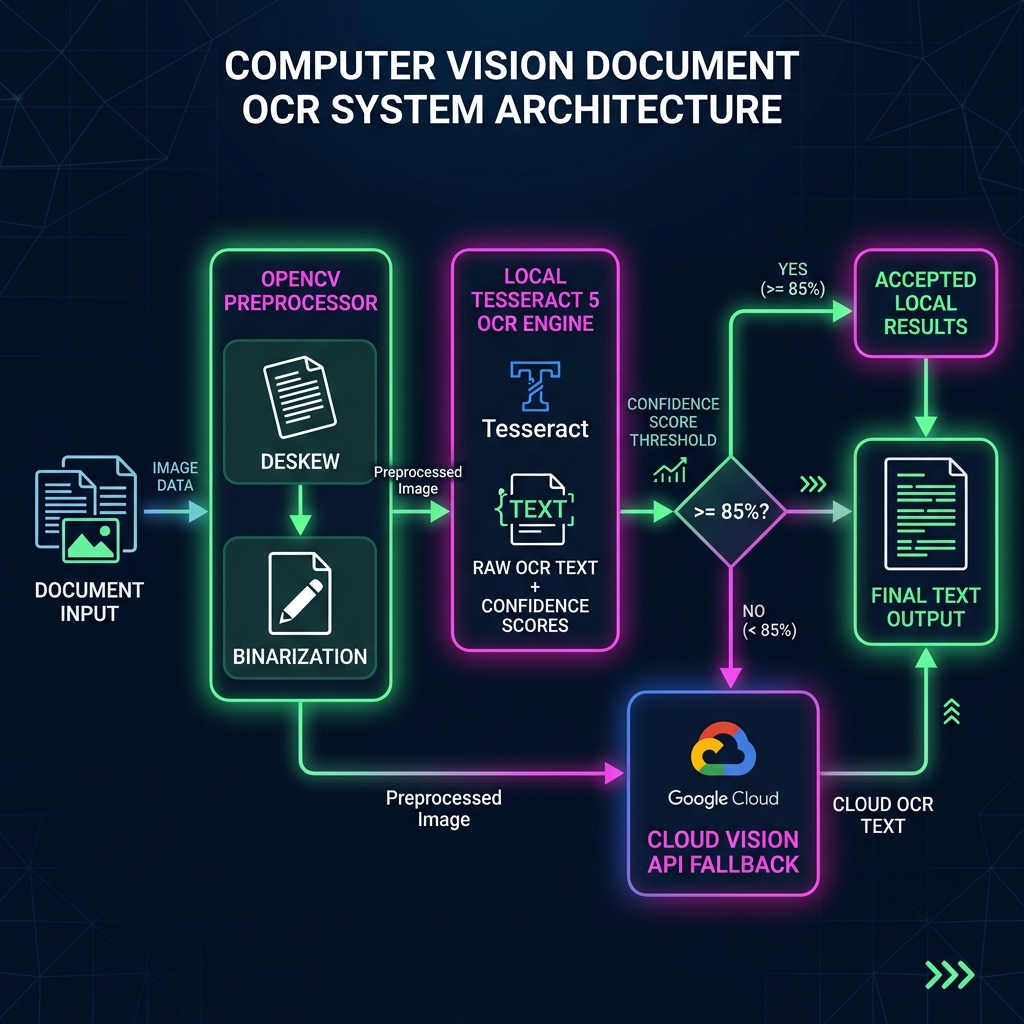
The pipeline routes every document through local Tesseract OCR first. Tesseract outputs both the recognized text and a per-character confidence score (0–100%). If the average confidence score exceeds an empirical threshold (85%), the result is accepted immediately. If confidence falls below 85%, the pipeline seamlessly forwards the pre-processed image to Cloud Vision for a secondary pass.
namespace App\Services\OCR;

use App\Services\OCR\Clients\CloudVisionClient;
use App\Services\OCR\Clients\TesseractClient;

class HybridOcrPipeline
{
    private const CONFIDENCE_THRESHOLD = 85.0;

    public function __construct(
        private ImagePreprocessor $preprocessor,
        private TesseractClient $tesseract,
        private CloudVisionClient $cloudVision
    ) {}

    public function process(string $documentPath): OcrResult
    {
        // Step 1: Pre-process image locally
        $cleanPath = $this->preprocessor->preprocess($documentPath);

        // Step 2: Attempt fast, free local OCR via Tesseract
        $tesseractResult = $this->tesseract->recognizeBangla($cleanPath);

        // Step 3: Check mean confidence score
        if ($tesseractResult->meanConfidence >= self::CONFIDENCE_THRESHOLD) {
            return new OcrResult(
                text: $tesseractResult->text,
                provider: 'tesseract',
                confidence: $tesseractResult->meanConfidence,
                costUsd: 0.00
            );
        }

        // Step 4: Fall back to Cloud Vision for low-confidence / noisy inputs
        $cloudResult = $this->cloudVision->detectDocumentText($cleanPath);

        return new OcrResult(
            text: $cloudResult->text,
            provider: 'cloud_vision',
            confidence: $cloudResult->confidence,
            costUsd: 0.0015
        );
    }
}
Production Benchmark Results
Deploying the hybrid OCR pipeline across a dataset of 100,000 production Bangla documents yielded impressive efficiency metrics:
| Pipeline Configuration | Accuracy | Avg Latency | Monthly API Cost (100k docs) |
|---|---|---|---|
| Pure Tesseract 5 | 76.4% | 85ms | $0.00 |
| Pure Cloud Vision | 98.6% | 680ms | $150.00 |
| Hybrid Fallback Pipeline | 98.1% | 145ms | $25.50 |
By using local Tesseract for 83% of clean documents and reserving Cloud Vision for the 17% degraded long-tail cases, we maintained near-perfect recognition accuracy while reducing cloud API operational costs by 83%.