Docker Compose for Local Parity Across a Java, PHP, and Node Stack
The problem with "works on my machine"
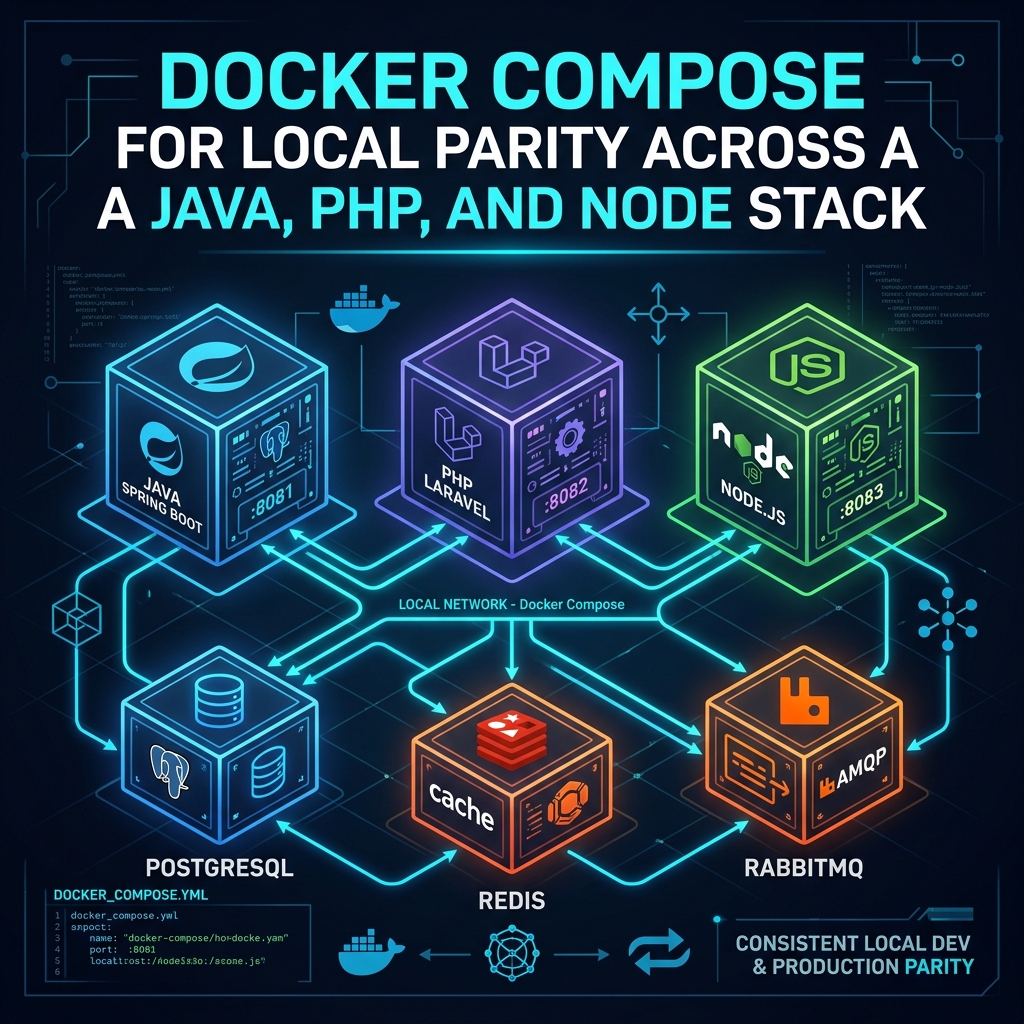
Building a multi-service financial platform means coordinating multiple runtime environments. Our system architecture relies on three core applications written in distinct languages, each serving a specialized purpose:
- Java 21 Matching Engine: A high-throughput Spring Boot service that ingests order flows, executes matching algorithms, and speaks low-latency FIX and ITCH exchange protocols.
- PHP 8.4 (Laravel 12) Core API: The primary backend handling account authentication, RESTful order placement, user billing, database persistence, and audit logging.
- Node.js 22 WebSocket Gateway: An event-driven microservice responsible for establishing persistent client connections and broadcasting real-time market data updates.
Before containerizing our development workflow, running this polyglot stack locally required every engineer to manually install and configure three language runtimes, matching PostgreSQL 17 database extensions, Redis 7.4, and a RabbitMQ 4 broker directly on their host operating system.
Small discrepancies quickly caused friction. A developer running Java 17 locally would miss language feature deprecations that broke in our Java 21 production environment. Missing PHP extensions or different Redis client drivers caused subtle bugs that only surfaced after code reached staging pipelines. New team members spent their first day reading multi-page setup documentation, manually executing database migrations, and configuring local queue exchanges.
Designing a production-identical Compose topology
To eliminate environment drift, we designed a unified docker-compose.yml topology that provisions all application services and backing infrastructure components using the exact base container images deployed in production.
graph TD
    Client["Developer Workstation"] --> Nginx["Nginx Reverse Proxy"]
    Nginx --> Laravel["Laravel 12 API (PHP 8.4)"]
    Nginx --> Node["WebSocket Gateway (Node.js 22)"]
    Laravel --> Java["Matching Engine (Java 21 / FIX)"]
    Laravel --> Postgres[("PostgreSQL 17")]
    Laravel --> Redis[("Redis 7.4")]
    Laravel --> RabbitMQ[("RabbitMQ 4")]
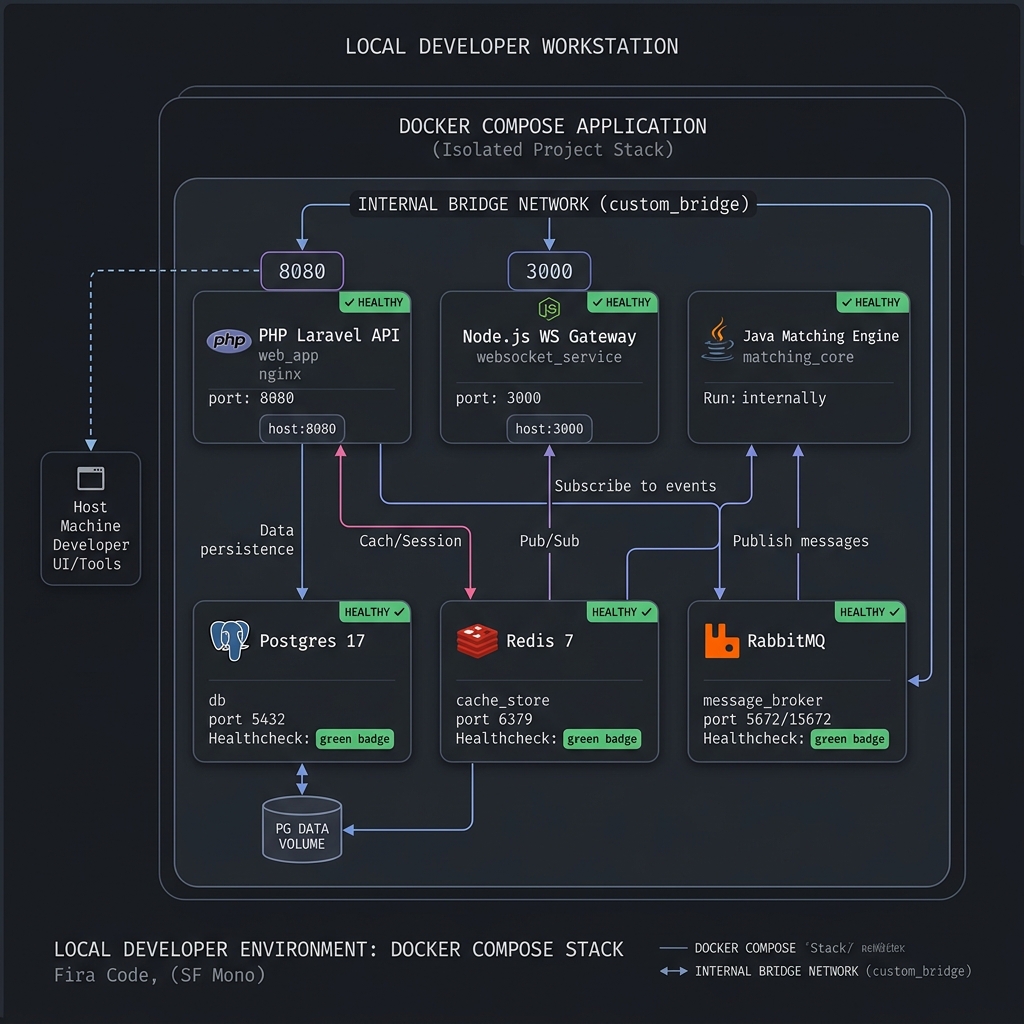
All services communicate across an isolated internal bridge network (trading_net), allowing microservices to resolve each other by container name (http://laravel-api:8000, amqp://rabbitmq:5672, redis:6379) exactly as they do via service discovery in our production Kubernetes clusters.
Environment variables are standardized through a tracked .env.example file copied to .env.local during setup. This guarantees that database credentials, queue virtual hosts, and API keys remain consistent across all development machines without leaking production credentials.
version: '3.8'

networks:
  trading_net:
    driver: bridge

services:
  postgres:
    image: postgres:17-alpine
    environment:
      POSTGRES_DB: oms_local
      POSTGRES_USER: dev
      POSTGRES_PASSWORD: secret_password
    ports:
      - "5432:5432"
    networks:
      - trading_net
    healthcheck:
      test: ["CMD-SHELL", "pg_isready -U dev -d oms_local"]
      interval: 5s
      timeout: 5s
      retries: 5

  redis:
    image: redis:7.4-alpine
    ports:
      - "6379:6379"
    networks:
      - trading_net
    healthcheck:
      test: ["CMD", "redis-cli", "ping"]
      interval: 5s
      timeout: 3s
      retries: 5

  rabbitmq:
    image: rabbitmq:4-management-alpine
    ports:
      - "5672:5672"
      - "15672:15672"
    networks:
      - trading_net
    healthcheck:
      test: ["CMD", "rabbitmq-diagnostics", "-q", "ping"]
      interval: 5s
      timeout: 5s
      retries: 5

  matching-engine:
    build:
      context: ./services/matching-engine
      dockerfile: Dockerfile.dev
    environment:
      SPRING_PROFILES_ACTIVE: local
      SPRING_RABBITMQ_HOST: rabbitmq
      SPRING_REDIS_HOST: redis
    volumes:
      - ./services/matching-engine:/app
      - ~/.m2:/root/.m2
    networks:
      - trading_net
    depends_on:
      rabbitmq:
        condition: service_healthy
      redis:
        condition: service_healthy

  laravel-api:
    build:
      context: ./services/api
      dockerfile: Dockerfile.dev
      args:
        WWWUSER: ${WWWUSER:-1000}
        WWWGROUP: ${WWWGROUP:-1000}
    environment:
      APP_ENV: local
      DB_HOST: postgres
      REDIS_HOST: redis
      RABBITMQ_HOST: rabbitmq
    volumes:
      - ./services/api:/var/www/html
    ports:
      - "8000:8000"
    networks:
      - trading_net
    depends_on:
      postgres:
        condition: service_healthy
      redis:
        condition: service_healthy
      rabbitmq:
        condition: service_healthy

  ws-gateway:
    build:
      context: ./services/ws-gateway
      dockerfile: Dockerfile.dev
    environment:
      NODE_ENV: development
      REDIS_HOST: redis
    volumes:
      - ./services/ws-gateway:/app
      - /app/node_modules
    ports:
      - "3000:3000"
    networks:
      - trading_net
    depends_on:
      redis:
        condition: service_healthy
Solving volume mount permission friction on Linux
Mounting host source code directories into containers is essential for live code reloading during development. However, on Linux workstations, this introduced a frustrating file permission issue.
When processes running inside a container as root generate files — such as Laravel's storage/framework/views, log files, or compiled frontend assets — those files are created with root:root ownership on the host filesystem. Consequently, developers on host machines could not edit, format, or clean up those files without using sudo.
We solved this by injecting the host developer's User ID (UID) and Group ID (GID) as build arguments during image construction:
# Dockerfile.dev for PHP/Laravel
FROM php:8.4-fpm

ARG WWWUSER=1000
ARG WWWGROUP=1000

# Create application group and user matching host UID/GID
RUN groupadd --force -g ${WWWGROUP} devuser && \
    useradd -ms /bin/bash --no-log-init --no-create-home -u ${WWWUSER} -g ${WWWGROUP} devuser

WORKDIR /var/www/html

# Grant ownership of application directory to non-root user
RUN chown -R devuser:devuser /var/www/html

USER devuser
In .env.local, developers export WWWUSER=$(id -u) and WWWGROUP=$(id -g). When Docker Compose builds or runs the application container, all files created inside volume mounts automatically inherit the host user's exact permissions. This completely eliminated permission friction across Linux and macOS workstations.
To preserve node package performance, we also defined an anonymous volume (/app/node_modules) for the Node.js WebSocket gateway. This keeps heavy package directories inside the Linux container filesystem, avoiding slow cross-filesystem I/O synchronization between host and container.
Deterministic startup with container healthchecks
Spinning up six containers simultaneously created race conditions. In early iterations, the Laravel container would attempt database migrations before PostgreSQL had finished initializing its data directory and socket. Similarly, the Java matching engine failed on boot because it tried to declare queue exchanges before RabbitMQ's management plugin was operational.
Relying solely on depends_on in Docker Compose only ensures that a container process has started — not that the service inside is ready to process traffic.
To establish deterministic startup sequences, we added explicit healthchecks to every backing service:
- PostgreSQL:
pg_isready -U dev -d oms_localchecks whether the database is actively accepting socket connections. - Redis:
redis-cli pingconfirms memory store responsiveness. - RabbitMQ:
rabbitmq-diagnostics -q pingverifies that the AMQP broker and node diagnostic interfaces are ready.
Pairing these healthchecks with depends_on: condition: service_healthy ensured that application containers remain on hold until their backing databases and brokers are fully operational. This eliminated custom startup delay scripts and reduced fresh stack cold-start times to under 15 seconds.
Hot reloading and developer ergonomics
Maintaining local development speed required instant feedback loops when code changes:
- Java Engine: Configured with Spring Boot DevTools and mounted Maven cache directories (
~/.m2), allowing automatic class reloading upon compilation. - Laravel API: Utilizes volume-mounted source code paired with Vite hot module replacement (HMR), reflecting Blade and asset changes instantly.
- Node.js Gateway: Executes via
tsx watch, automatically restarting the WebSocket worker when source files are modified.
Developers retain full access to host debugging tools while all background execution, queue listening, and database queries run inside reproducible, containerized boundaries.
Results and key takeaways
Adopting Docker Compose for local development produced immediate improvements across our engineering workflow:
- Onboarding Speed: New engineers go from a fresh git clone to a fully running polyglot environment in under two minutes (
git clone->cp .env.example .env.local->docker-compose up). - Zero Environment Drift: Bugs resulting from local PHP, Java, or Node runtime version discrepancies dropped to zero.
- Reliable CI/CD Integration: Local integration tests run against identical container definitions as automated GitHub Actions CI pipelines, preventing surprise failures during staging deployments.
Investing time into healthcheck declarations, volume permission mapping, and clear environment templates transformed local development from an error-prone manual process into a fast, single-command workflow.